
Instructions
 ITA
ITA ES
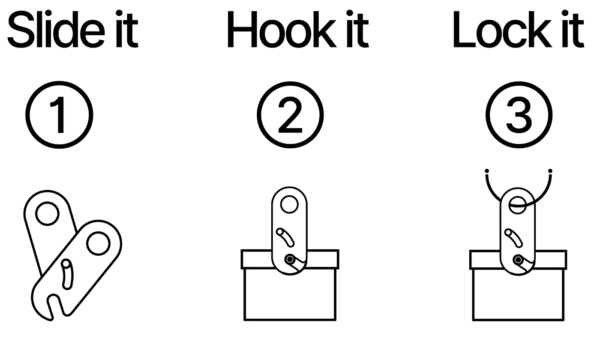
ES- Place the two hooks of the Surf-Lock around the leash plug (or around the Zavaii Adapter when installed in the fin box).
- Slide the two plates together, ensuring that the two hooks close around the leash plug.
- Wrap the Zavaii Combination Cable around any stationary object like a loop and thread the cable’s end through the two aligned holes of the Surf-Lock.
WARNING:
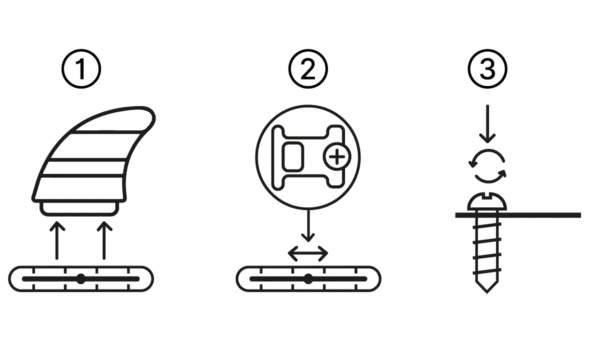
This adapter is equipped with a special screw. Once installed, it cannot be removed.
This adapter is designed to fit exclusively in the central fin slot on boards generally 7′ and up.
HOW TO INSTALL IT:
- Remove the center fin.
- Insert the adapter into the fin box.
- Slide the adapter along the groove of the fin box, towards the front or rear, depending on where you prefer to position the fin.
- Make sure the adapter loop faces the center of the fin box and that the screw is at the outer end. Tighten the screw to secure the adapter.
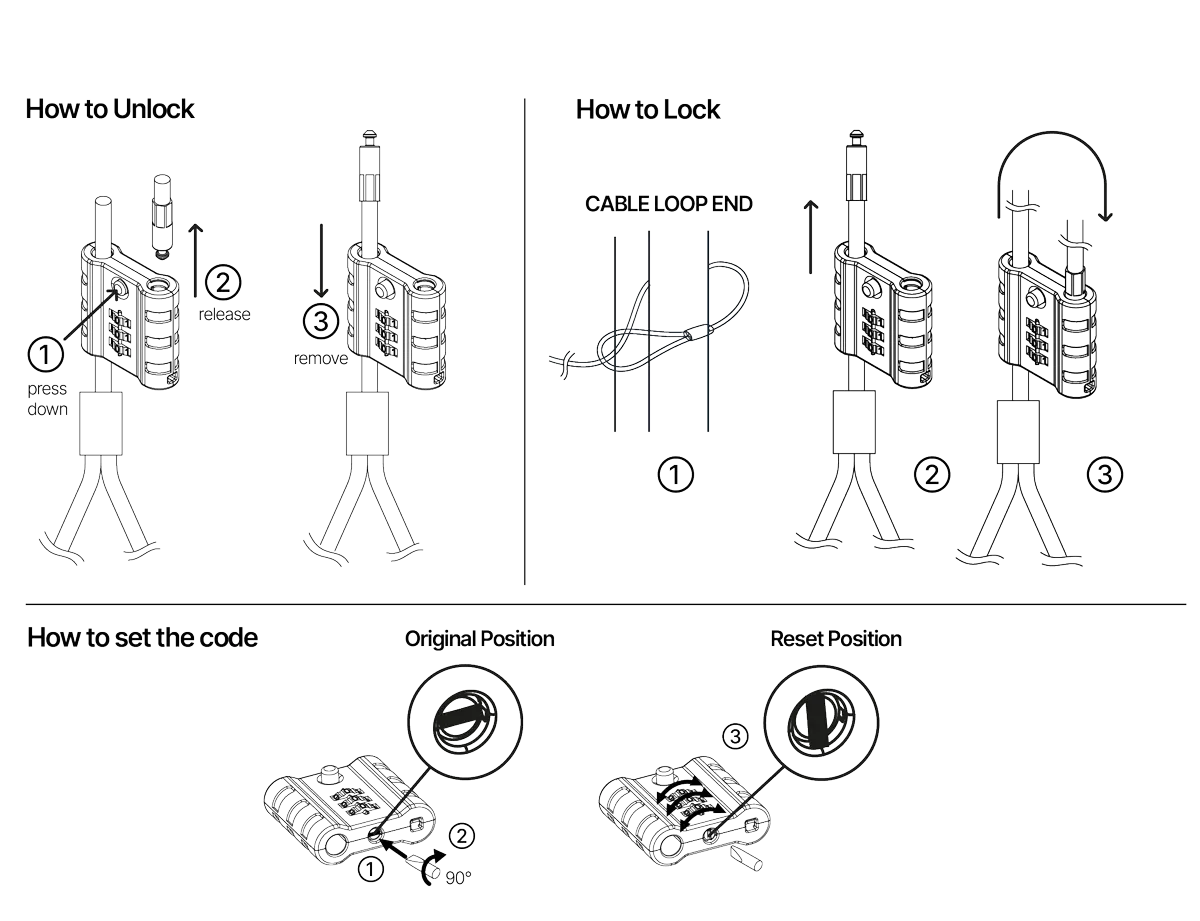
TO UNLOCK:
Set the numbers to 0-0-0, press the unlock button to release the cable head, and remove it from the lock and secured equipment.
TO LOCK:
Anchor the looped cable around a fixed object, thread the cable through any other items, pass it through the cable loop, insert the cable head into the lock until it clicks, and scramble the numbers to secure everything.
TO SET A NEW COMBINATION:
Set the numbers to 0-0-0, press and turn the silver reset button underneath the lock 90° clockwise with a screwdriver, set your new combination, turn the reset button 90° counterclockwise, and store your combination securely. Your lock is now ready to be opened with the new combination.
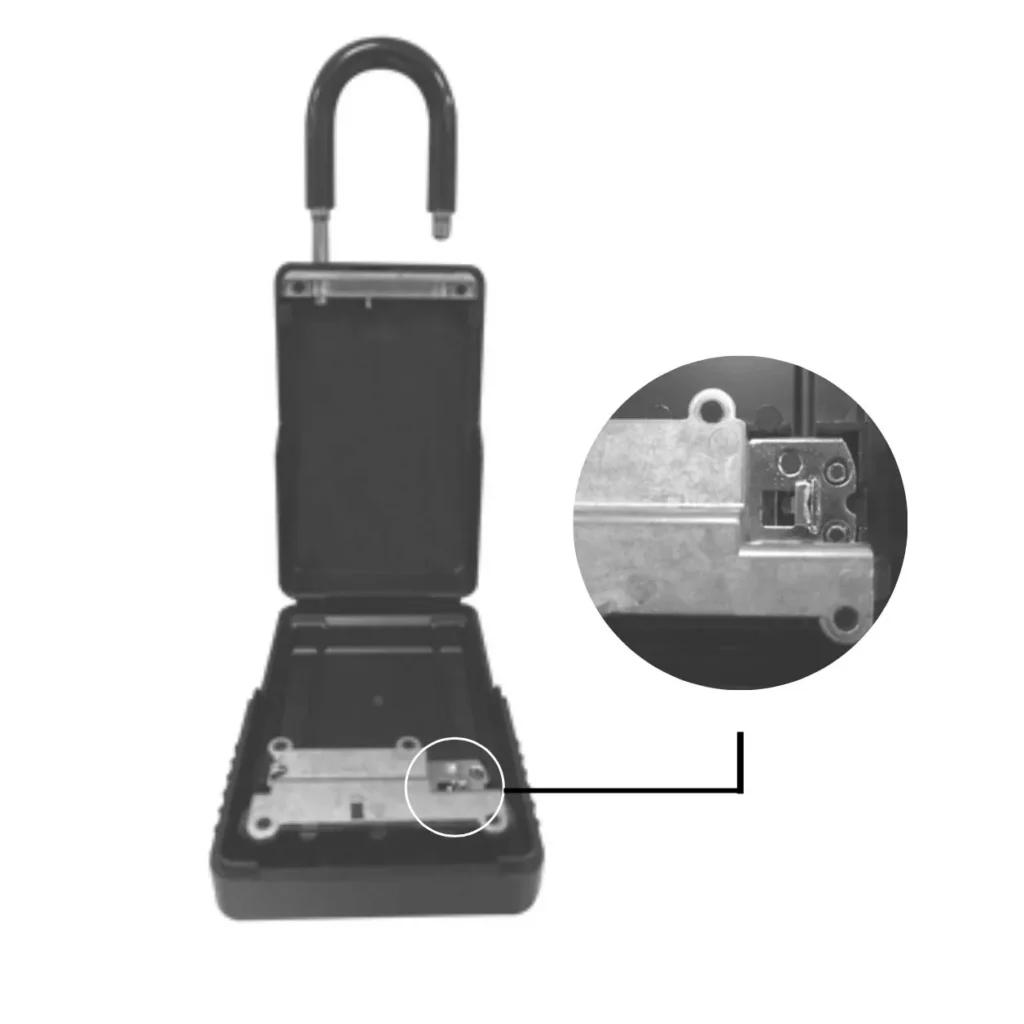
Open the Key Box, unlock the hook, and loop it around an anchor point (e.g., the car door handle), then close the hook. Place your keys inside the box and lock it. Finally, change the combination to secure everything.
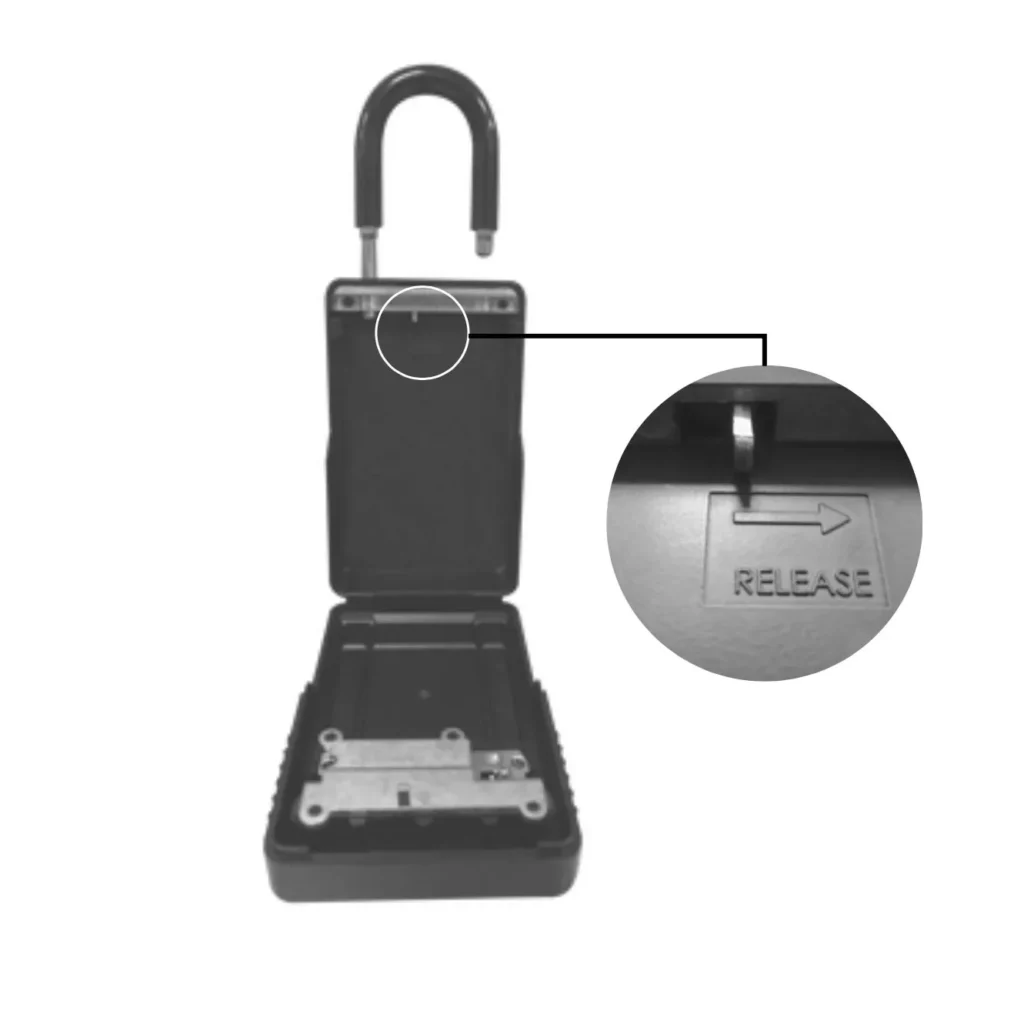
OPENING THE HOOK
- Open the box.
- Push the release lever in the direction of the arrow.
- Open the box hook.
- Pull the hook upward.
- Pass the hook through the anchor point.
CLOSING THE HOOK
- Hold the release lever in the direction of the arrow.
- Reposition the hook.
- Release the release lever.
SETTING THE CODE
- With the combination 0-0-0-0, open the box facing the front side.
- Push the internal reset lever behind the lock from right to left.
- Enter your combination, e.g., 1-2-3-4.
- Move the reset lever back from left to right.
The lock is ready!